
In Stream, it is only possible to permanently delete a user profile if there has been no recorded activity on the profile. This is to ensure that historical delivery events and audit trails associated with each user are preserved for compliance purposes.
If a profile has recorded activity against it, you can instead remove the user’s access to the system by marking them as ‘Left’.
Deleting a user profile
To delete a user profile:
- From the main menu, navigate to ‘Users & Drivers’
- In the ‘Users’ list, double click on the profile you wish to delete
- In the popup window, click ‘Delete’
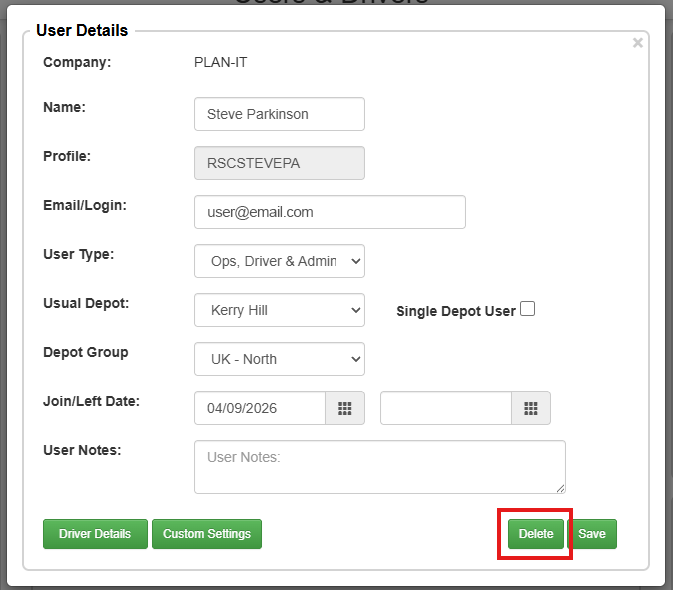
- In the confirmation popup, click ‘Yes’
The user profile will now have been permanently removed from your account.
Removing a user’s access
To remove a user’s access and mark them as ‘Left’:
- From the main menu, navigate to ‘Users & Drivers’
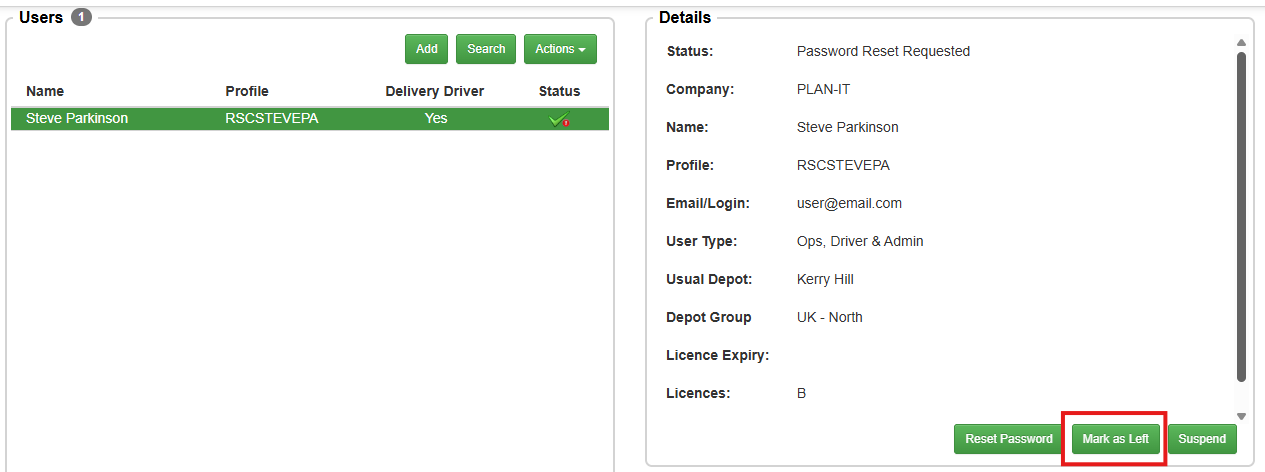
- Single-click the user in the list and click the ‘Mark as Left’ button, or if access is only being removed temporarily, ‘Suspend’ the user instead. If you need to backdate the leaving date, double-click the user to open their profile details, select a date in the ‘Left Date’ field and click ‘Save’
Finding inactive users
Once a user is marked as a leaver or suspended, they will automatically be hidden from your active list view. To view, and access these profiles:
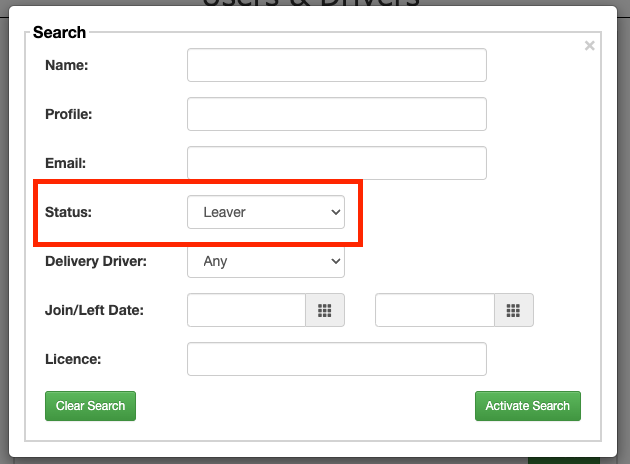
- From the ‘Users & Drivers’ screen, click the ‘Search’ button
- Locate the ‘Status’ drop-down menu
- Change the status filter from ‘Active’ to ‘Any’, ‘Leaver’, or ‘Suspended’
- Click ‘Search’ to refresh the list
Reinstating left or suspended users
For more information on reinstating a deleted or suspended user, please see our guide on Reinstating a user.