
Using a what3words address helps you provide your drivers with precise coordinates for making deliveries. This allows you to provide more specific delivery locations, in addition to the postal addresses already on orders.
Adding a what3words address
To add a what3words address to an order:
- Open the Order Details screen for the order you wish to update the location on
- Click the ‘Edit’ button next to the ‘Delivery Address’ field in the deliveries section
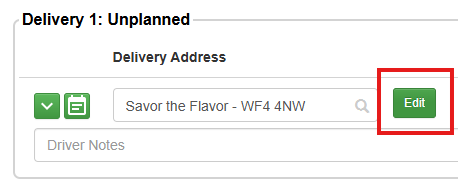
- In the Location Details pop-up window on the map interface, you will see that the what3words icon on the map is currently disabled. Click the ‘Add Map Pin’ button
- Select the type of map pin that you wish to add. Types of Customer Location pins
- With the pin type selected, the what3words field will now become enabled
- Click the what3words icon on the Location Details map
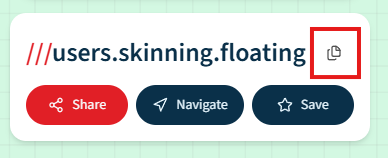
- If your customer has already provided the what3words address, copy and paste it into the field. If not, you can head to what3words, find the address for the location you wish to add, and click the ‘Copy’ icon, before heading back to Stream and pasting it into the field.
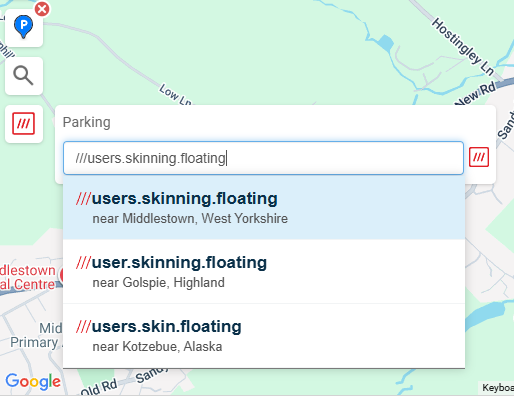
- Click the correct address from the dropdown menu to confirm
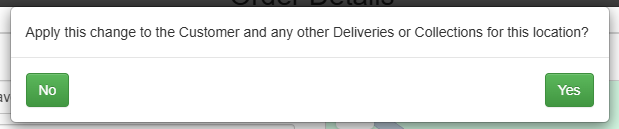
- Click ‘Save’. You will then be asked if you’d like to also update the Customer address and any other deliveries or collections for this location. Click ‘Yes’ to confirm, or ‘No’ to dismiss.
Your what3words address for the selected pin type will now have been dropped onto the map.
Edit a what3words address
To edit/update the what3words address for a location, simply repeat the steps above but enter the new what3words address into the field.
Remove a what3words address
To remove a what3words address that you have added for a Parking Location, Waypoint or Avoid, you can simply click on the pin to remove it from the map.
To remove a what3words address for a Delivery/Collection location, you can either close the popup window without saving your changes, or if you have already saved it, you will need to move the pin location or enter a new what3words address for it.
For more help with this, check out our Customising map pins on a customer address help article.
About what3words
The team at what3words have divided the world into 3-metre squares and given each square a unique combination of three words.
It’s the easiest way to find and share exact locations.
You can find more information about the what3words platform on their website.