
Depots is a core piece of functionality for helping businesses that are running multi-depot operations and want to use a centralised system to manage their entire operation.
Orders, runs, vehicles, and users can all be assigned to specific Depots.
Users can be given access to multiple depots using Depot Groups.
Adding a depot
To add a new depot:
- Click ‘Depots’ in the main menu
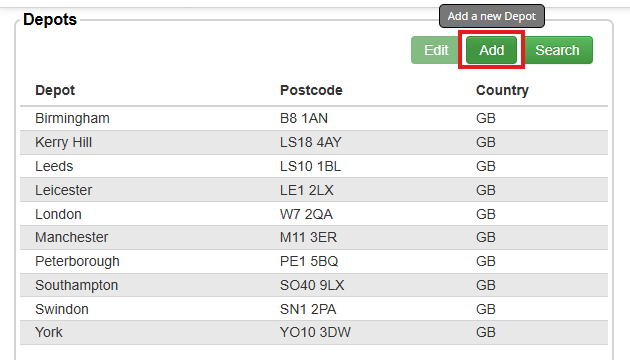
- In the ‘Depots’ list, click ‘Add’
- Enter a name for the depot, and then fill out the rest of the information for that depot.
- The Stock ID and Stock Location fields will be automatically populated when you enter the Depot Name, however these can be customised if you wish. Please note, the three-letter party prefix for each ID is fixed and cannot be changed.
- The postcode field will be used to set the default starting location for runs created for this depot.
- Click ‘Save’
- The popup will ask ‘Are you sure you want to create this depot?’. Click ‘Yes’
The new depot will now be visible in your ‘Depots’ list.
Editing an existing depot
If you need to change the details of an existing depot in Stream, this can also be managed within the Depots screen:
- Click ‘Depots’ in the main menu
- In the ‘Depots’ list, select the depot you would like to amend and select ‘Edit’
- Make the necessary changes to the depot details
- Click ‘Save’