Managing lots of depots just got a whole lot simpler in Stream’s delivery management software for own-fleet logistics.
Stream now has Depot Groups, so you can organise your depots by region, client or purpose.
You can now also use the multi-depot select to plan delivery runs/jobs and view orders, drivers and vehicles across multiple depots at once.
How do Depot Groups work in Stream?
Depot Groups let you create bespoke groups to categorise all depots within your operation.
You can give each group a custom name, and assign any depot to any group.
A single depot can be included in multiple groups too, so for example you could include a depot within a group called ‘South’ and also within another group called ‘London’.
How does multi-depot select work?
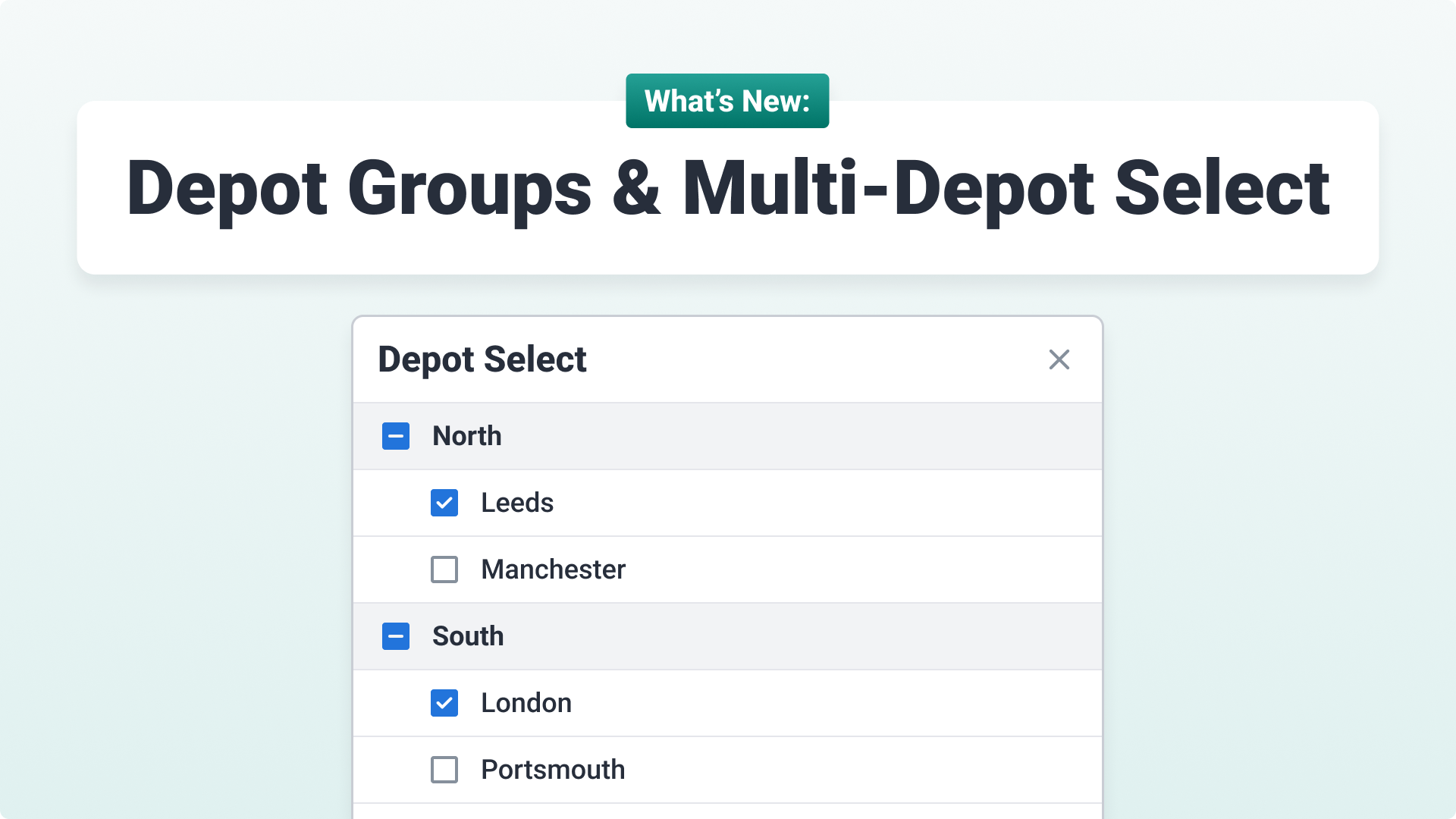
The depot menu in the header of every screen used to let you choose one depot at a time.
Now it’s a checklist, so you can select as many depots as you need.
Once you’ve selected multiple depots, you can:
- Plan runs for orders across all of those depots
- View and manage users, drivers and vehicles across them
You’ll only see the depots in the group your user profile is assigned to. Users with the ‘All depots’ permission can see every depot and every group in their menu.
Who is Depot Groups for?
Grouping depots isn’t relevant to every logistics operation using Stream, but these use cases will help you identify whether it may be a good fit for you.
For example: If a Regional Manager looks after eight depots in the North, previously they’d have to switch between each of those eight depots to plan delivery runs. Now they simply select their ‘North’ group and plan everything in one view.
Other use cases include:
- Logistics managers who want to restrict user access to only the depots that are relevant to their role
- Delivery & collection management teams who want to designate specific depots for deliveries, and others for collections
- Businesses who share drivers, vehicles, or delivery resources across different depots
- Teams with large client contracts who want to be able to group depots on a per-client basis.
What are the benefits of Depot Groups?
There are a number of great benefits to be had by grouping your depots if you’re running a complex logistics operation in Stream.
Streamline planning
Speed up the ability to plan runs with the new multi-depot select, as you can plan runs for a whole group without having to navigate to a different screen to plan runs for a different individual depot.
Limit access
Users can also be assigned to depot groups, meaning they can only access the parts of the operation that are relevant to their role. Admin-level users can have an ‘All depot’ permission, where they are able to view the entire logistics operation.
Group by region
Managing different depots across different areas? Create regional-level groups to customise your system to suit the way you organise regional or nationwide deliveries.
Group by context
Planning all deliveries out of certain depots, and all collections out of another? Or perhaps you’re delivering different goods from different depots. Create context-based groups to categorise your depots by their specific use case.
Improve visibility
With the ability to now view orders, runs, drivers, and vehicles across multiple depots at the same time, it gives greater, more refined visibility so the right people see the full picture.
Ready to start using Depot Groups?
To get started, check out our knowledge base articles on Managing Depot Groups and Switching between depots.
Not yet a Stream customer?
Explore even more of our delivery route planning benefits, or book a demo with our team today.